

Buying a new laptop in Pakistan involves more than simply choosing a processor or screen size. One of the most important decisions is selecting the right type of storage because it directly affects your laptop’s speed, performance, and overall user experience. Many buyers start their research by searching for a Laptop shop near me Karachi to compare available models, storage options, and prices before making a purchase. Understanding the differences between SSDs and HDDs can help you invest in a laptop that meets your needs while delivering the best value in 2026.
Whether you’re a student, office worker, gamer, content creator, or business professional, your storage choice plays a major role in how quickly your laptop boots, launches applications, transfers files, and handles daily tasks. While traditional Hard Disk Drives (HDDs) continue to offer affordable high-capacity storage, Solid State Drives (SSDs) have become the preferred choice for most modern laptops due to their superior speed and reliability.
In this guide, we’ll compare SSD and HDD storage in detail, explain their advantages and disadvantages, and help you determine which option is best suited for users in Pakistan.
Understanding Laptop Storage
Laptop storage is where your operating system, applications, documents, photos, videos, and other files are stored. Choosing the right storage type impacts not only how much data you can save but also how efficiently your laptop performs.
Today, laptops generally come with one of three storage configurations:
SSD (Solid State Drive)
HDD (Hard Disk Drive)
Hybrid storage (SSD + HDD)
Each option has unique strengths depending on your budget and usage requirements.
What Is an SSD?
A Solid State Drive (SSD) stores data using flash memory instead of moving mechanical parts.
Because there are no spinning disks or moving read/write heads, SSDs deliver significantly faster performance than traditional hard drives.
Advantages of SSD Storage
Extremely Fast Boot Times
Most laptops equipped with SSDs start in less than 15 seconds, allowing you to begin working almost immediately.
Faster Application Loading
Programs such as Microsoft Office, Adobe Photoshop, AutoCAD, Visual Studio, and web browsers launch much more quickly on SSD-equipped laptops.
Better Overall Performance
Everyday tasks like copying files, multitasking, and opening large documents feel noticeably smoother.
Greater Durability
Since SSDs contain no moving components, they are more resistant to accidental drops and vibrations.
Silent Operation
Unlike HDDs, SSDs produce virtually no noise during operation.
Improved Battery Life
SSDs consume less power, helping laptops run longer on battery—an important advantage for students and professionals who work on the go.
What Is an HDD?
A Hard Disk Drive (HDD) stores data on spinning magnetic platters that are accessed by a mechanical read/write arm.
Although this technology has existed for decades, HDDs remain popular because they provide large storage capacities at affordable prices.
Advantages of HDD Storage
More Storage for Less Money
HDDs typically offer much larger capacities at lower prices compared to SSDs.
Common options include:
500GB
1TB
2TB
4TB
This makes them ideal for users with extensive collections of photos, videos, games, or archived files.
Affordable for Budget Buyers
If you’re looking for the lowest possible laptop price, HDD-based systems often cost less than comparable SSD models.
Good for File Storage
Users who mainly store documents, movies, music, and backups may find HDD storage sufficient for their needs.
Read More: Microsoft Surface Price in Pakistan 2026 — Complete Guide
SSD vs HDD: Speed Comparison
One of the biggest differences between SSDs and HDDs is performance.
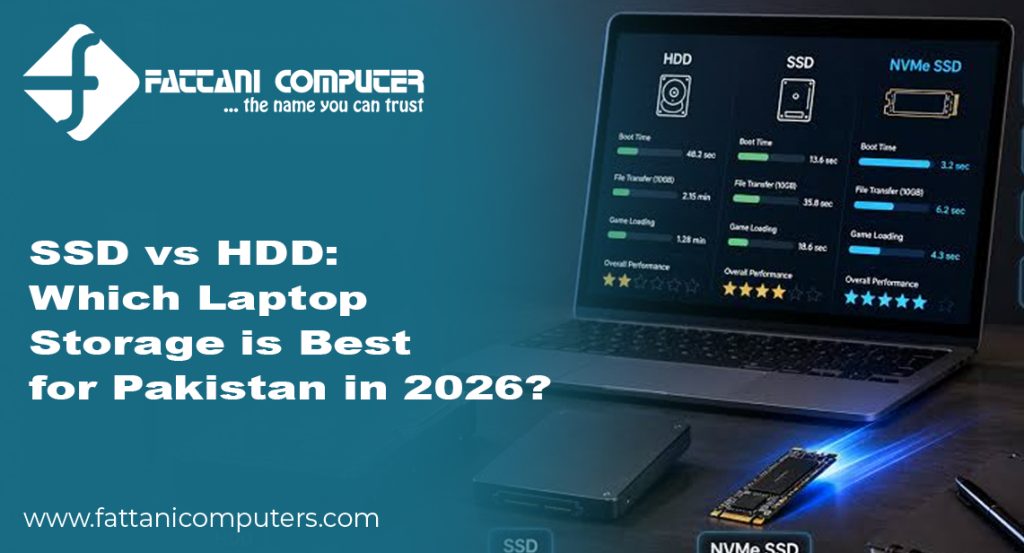
Boot Speed
SSD
10–15 seconds
HDD
40–90 seconds
File Transfers
Large files copy much faster on SSDs, reducing waiting times when transferring videos, software, or project files.
Software Performance
Applications launch almost instantly on SSDs, while HDD-based systems may require several extra seconds.
Multitasking
SSDs allow smoother multitasking, especially when several applications are open simultaneously.
Reliability Comparison
Reliability becomes increasingly important if you frequently travel with your laptop.
SSD Reliability
Because SSDs have no moving parts, they are:
More shock resistant
Less likely to fail due to physical impact
Better suited for portable devices
HDD Reliability
Mechanical components eventually wear over time.
Although many HDDs last for years with proper care, they are generally more vulnerable to:
Drops
Vibrations
Heat
Mechanical failure
Which Storage Is Better for Students?
Students typically use laptops for:
Online classes
Assignments
Presentations
Browsing
Video conferencing
For these activities, SSD storage provides a much smoother experience due to its faster responsiveness.
A 512GB SSD is often the ideal balance between storage capacity and performance for most students in Pakistan.
Best Choice for Office Professionals
Business users rely on productivity software throughout the day.
Tasks include:
Microsoft Office
Accounting software
ERP systems
Cloud applications
Video meetings
SSD-equipped laptops significantly improve productivity by reducing loading times and increasing overall responsiveness.
Is HDD Still Worth Buying in 2026?
Despite the growing popularity of SSDs, HDDs continue to serve an important role.
They remain suitable for users who:
Need large storage capacities
Have limited budgets
Primarily store media files
Use external drives for backups
However, for everyday laptop performance, SSDs clearly provide the better experience.
SSD vs HDD for Gaming
Gamers demand fast loading times and smooth gameplay. While the graphics card and processor have the biggest impact on gaming performance, storage also plays an important role.
SSD Benefits for Gaming
An SSD helps by:
Loading games much faster
Reducing waiting times between levels
Speeding up game updates and installations
Improving overall system responsiveness
Open-world games such as GTA V, Cyberpunk 2077, Forza Horizon, and Call of Duty benefit significantly from SSD storage because game assets load more quickly.
HDD for Gaming
An HDD can still run modern games, but players may experience:
Longer loading screens
Slower game installations
Delays when launching large titles
If your budget allows, an SSD is the better option for gaming laptops in 2026.
Best Storage for Content Creators
Graphic designers, video editors, photographers, architects, and programmers work with large files every day.
Applications such as:
Adobe Photoshop
Adobe Premiere Pro
After Effects
Blender
AutoCAD
SolidWorks
Visual Studio
perform much better with SSD storage.
For professionals, a minimum of 1TB SSD is recommended. Those handling large video projects can also add a secondary HDD for long-term file storage.
SSD + HDD: The Best of Both Worlds
Many laptops allow users to combine an SSD and an HDD.
This setup offers excellent value because:
The SSD stores Windows and frequently used applications.
The HDD stores photos, videos, games, and backups.
Recommended Hybrid Setup
512GB SSD for Windows and software
1TB or 2TB HDD for personal files and media
This combination delivers fast performance while providing plenty of storage space.
NVMe SSD vs SATA SSD
Not all SSDs offer the same speed.
SATA SSD
SATA SSDs are much faster than HDDs and are suitable for everyday users.
Typical read speeds:
Around 500–550 MB/s
NVMe SSD
NVMe SSDs use the PCIe interface, providing dramatically higher speeds.
Typical read speeds:
3,000–7,000 MB/s, depending on the model
Which Should You Buy?
Students and office users: SATA SSD is sufficient.
Gamers, designers, and professionals: NVMe SSD offers the best performance.
Choosing the Right Storage Capacity
The ideal storage size depends on how you use your laptop.
256GB SSD
Suitable for:
Basic office work
Web browsing
Online learning
512GB SSD
Ideal for:
Students
Professionals
Everyday users
Moderate gaming
1TB SSD
Recommended for:
Video editors
Graphic designers
Software developers
Gamers
Business professionals
2TB and Above
Best for:
Large media libraries
Professional content creators
Businesses managing extensive data
Buying Tips for Laptop Buyers in Pakistan
Before purchasing a laptop, keep these points in mind:
Choose an SSD whenever possible for better performance.
Confirm whether the laptop allows future storage upgrades.
Check if it includes an NVMe SSD for maximum speed.
Compare warranty coverage and after-sales support.
Select storage capacity based on your future needs, not just your current requirements.
Buy from reputable retailers to ensure genuine products and manufacturer warranties.
If you’re comparing different models, visiting a trusted retailer or searching online for a Laptop shop near me Karachi can help you evaluate specifications, prices, and available upgrade options before making a decision.
Future of Laptop Storage in 2026
Laptop storage technology continues to evolve rapidly.
Some key trends include:
Larger NVMe SSDs becoming more affordable
Faster PCIe Gen 5 storage
Increased use of cloud storage
Better energy efficiency
Improved durability and reliability
As SSD prices continue to fall, more budget-friendly laptops are expected to feature SSDs as standard rather than HDDs.
SSD vs HDD Comparison Table
Feature SSD HDD
Speed Excellent Moderate
Boot Time 10–15 seconds 40–90 seconds
Durability Very High Moderate
Noise Silent Audible
Battery Efficiency Better Lower
Storage Cost Higher Lower
Large Capacity Good Excellent
Gaming Performance Excellent Good
Everyday Performance Excellent Average
Final Thoughts
For most users in Pakistan in 2026, an SSD is the clear winner. It offers significantly faster performance, improved reliability, lower power consumption, and a smoother overall computing experience. Whether you’re attending online classes, managing office work, editing videos, or playing games, an SSD helps your laptop perform at its best.
An HDD still has value for users who require large storage capacities at a lower cost, especially for backups or media collections. However, if you’re purchasing a new laptop, choosing an SSD—or a hybrid SSD + HDD setup—provides the best balance of speed, storage, and long-term value.
Frequently Asked Questions (FAQs)
1. Is an SSD better than an HDD for laptops?
Yes. SSDs offer faster boot times, quicker application loading, better durability, and improved battery life, making them the preferred choice for most laptop users.
2. Which SSD capacity is best for students in Pakistan?
A 512GB SSD is an excellent choice for students, providing enough space for assignments, software, multimedia files, and everyday use.
3. Can I upgrade from an HDD to an SSD later?
In many laptops, yes. However, upgrade options depend on the model, so it’s important to check compatibility before purchasing.
4. Is an HDD still useful in 2026?
Yes. HDDs remain a cost-effective solution for storing large amounts of data, such as videos, photos, and backups.
5. What is the difference between SATA SSD and NVMe SSD?
SATA SSDs are much faster than HDDs, while NVMe SSDs are significantly faster than SATA SSDs and are ideal for gaming, video editing, and demanding professional workloads.
6. Which storage option is better for gaming laptops?
An SSD, particularly an NVMe SSD, is the better option because it reduces game loading times and improves overall responsiveness.
7. How do I choose the right laptop storage?
Consider your budget, workload, and future storage needs. For most users, a 512GB or 1TB SSD provides the best balance of performance and capacity, while a hybrid SSD + HDD setup is ideal if you need both speed and ample storage.