

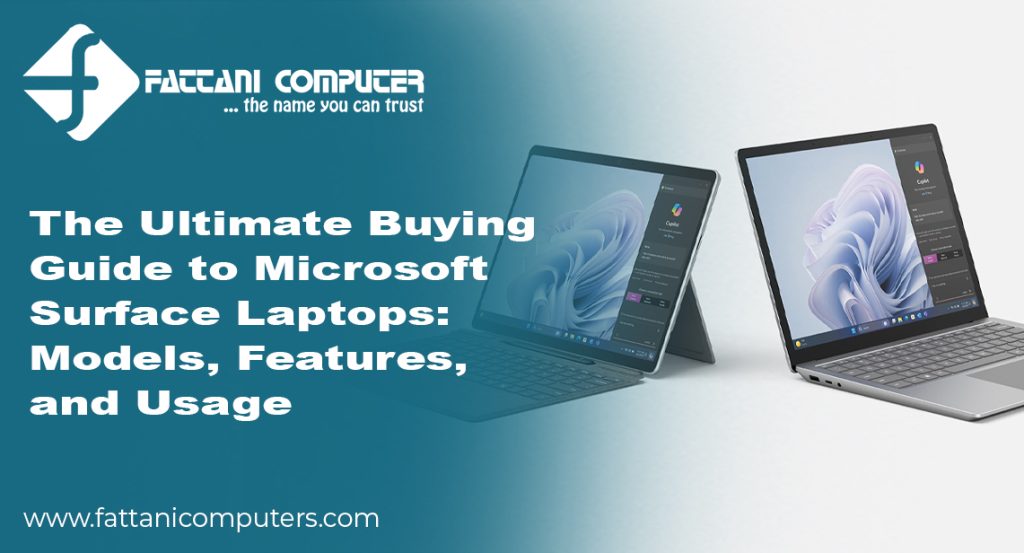
Introduction
Buying a premium laptop is a long-term investment, and choosing the right model can significantly improve your productivity, creativity, and everyday computing experience. Whether you’re a university student, business professional, freelancer, software developer, or content creator, Microsoft Surface laptops offer a perfect combination of performance, portability, and premium design. If you’ve recently searched for Microsoft Surface near me, you’re probably looking for a trusted retailer in Pakistan that offers genuine Microsoft Surface devices at competitive prices. This comprehensive buying guide explains the different Surface models, their features, ideal usage scenarios, and essential buying tips to help you make the right decision.
Microsoft Surface laptops are designed by Microsoft to deliver the best Windows experience. They feature high-quality displays, powerful processors, excellent battery life, and sleek designs that appeal to users who want both style and performance. As the demand for premium laptops continues to grow in Pakistan, Microsoft Surface devices have become a preferred choice for professionals, students, and businesses seeking reliable computing solutions.
Why Microsoft Surface Laptops Are Popular in Pakistan
Microsoft Surface laptops stand out because they combine premium hardware with the latest Windows operating system. Unlike many conventional laptops, Surface devices are engineered to maximize the performance of Windows while maintaining exceptional portability and build quality.
Some of the key advantages include:
- Premium aluminum construction
- Lightweight and ultra-portable design
- High-resolution PixelSense touchscreen displays
- Fast SSD storage
- Long battery life
- Comfortable keyboard and precision trackpad
- Windows 11 optimization
- Excellent security features
- Seamless Microsoft 365 integration
These features make Surface laptops suitable for professionals, students, and home users alike.
Microsoft Surface Laptop Series Explained
Microsoft offers several Surface models, each designed for different types of users.
Surface Laptop
The Surface Laptop is Microsoft’s traditional notebook, designed for users who prefer a classic laptop experience.
Best suited for:
- Office professionals
- University students
- Business executives
- Everyday productivity
- Remote workers
Its elegant design, responsive keyboard, and premium display make it one of the most popular Surface models.
Surface Pro
The Surface Pro combines the functionality of a tablet with the power of a laptop.
Ideal for:
- Students
- Digital artists
- Business travelers
- Remote workers
- Note-taking
- Presentations
Its detachable keyboard and Surface Pen compatibility provide excellent flexibility.
Surface Laptop Studio
Surface Laptop Studio is Microsoft’s premium device for creative professionals.
Recommended for:
- Graphic designers
- Video editors
- Architects
- Engineers
- Software developers
- 3D artists
Its powerful hardware handles demanding professional applications with ease.
Surface Go
Surface Go is Microsoft’s compact and affordable option.
Perfect for:
- School students
- Casual users
- Web browsing
- Online classes
- Office applications
- Entertainment
Its lightweight design makes it ideal for users who frequently travel.
Read More: Best Laptops in Pakistan: Real Picks by Budget & Use Case
Choosing the Right Processor
The processor determines how efficiently your laptop handles different workloads.
Common processor options include:
- Intel Core i5
- Intel Core i7
- Intel Core Ultra
- Qualcomm Snapdragon X Series (newer models)
Choose Intel Core i5 if you mainly use:
- Microsoft Office
- Browsing
- Emails
- Zoom meetings
- YouTube
- Online learning
Choose Intel Core i7 or Core Ultra if you use:
- Adobe Photoshop
- Premiere Pro
- Visual Studio
- AutoCAD
- Blender
- Data analysis software
RAM: How Much Do You Need?
RAM affects multitasking performance.
Available options include:
- 8GB
- 16GB
- 32GB
Recommended configurations
8GB
Suitable for:
- Students
- Basic office work
- Browsing
16GB
Best for:
- Professionals
- Developers
- Multitasking
- Business users
32GB
Ideal for:
- Designers
- Video editors
- Engineers
- Heavy workloads
Storage Options
Microsoft Surface laptops use fast Solid State Drives (SSD).
Storage options generally include:
- 256GB
- 512GB
- 1TB
If you work with videos, graphics, or large files, choose at least 512GB.
Display Quality
Microsoft’s PixelSense touchscreen is one of the biggest selling points.
Benefits include:
- Sharp resolution
- Vibrant colors
- Accurate touch response
- Excellent brightness
- Comfortable viewing angles
Creative professionals especially appreciate the display quality for photo editing and design work.
Battery Life
Surface laptops are known for excellent battery performance.
Depending on the model and usage, users can expect enough battery life to get through a typical workday without frequent charging. Fast charging support also helps reduce downtime.
Performance for Business Users
Businesses across Pakistan increasingly choose Surface laptops due to their reliability and enterprise-ready features.
Business advantages include:
- Windows Hello facial recognition
- TPM security chip
- Microsoft Teams optimization
- Microsoft 365 compatibility
- High-quality webcams
- Excellent microphones
These features support modern hybrid and remote work environments.
Why Students Prefer Microsoft Surface
University students require laptops that are lightweight, durable, and capable of handling daily academic tasks.
Surface laptops are ideal for:
- Research
- Assignments
- Online classes
- Note-taking
- Presentations
- Video conferencing
The Surface Pro, when paired with a Surface Pen, is particularly useful for handwritten notes and annotations.
Microsoft Surface for Creative Professionals
Creative users need reliable hardware for demanding software.
Surface devices support applications such as:
- Adobe Photoshop
- Adobe Illustrator
- Adobe Premiere Pro
- Lightroom
- AutoCAD
- Blender
- Figma
- Canva
- Visual Studio
The high-resolution display and responsive touch capabilities make Surface laptops attractive for designers and content creators.
Can You Play Games on a Surface Laptop?
While Surface laptops are not designed as gaming machines, they can comfortably run:
- Minecraft
- Valorant
- League of Legends
- Roblox
- Indie games
- Xbox Cloud Gaming
For high-end AAA gaming, dedicated gaming laptops remain the better option.
Essential Accessories
To maximize productivity, consider these accessories:
Surface Pen
Perfect for digital drawing, note-taking, and document annotation.
Surface Dock
Adds multiple connectivity options for external displays and peripherals.
Surface Arc Mouse
Compact, lightweight, and easy to carry.
USB-C Hub
Expands the number of available ports for external devices.
Where to Buy Microsoft Surface Laptops in Pakistan
If you are searching for Microsoft Surface near me, you have several purchasing options across Pakistan. Genuine Surface laptops are available through:
- Authorized Microsoft resellers
- Reputable computer retailers
- Major electronics stores
- Trusted online technology retailers
Before making a purchase, compare warranty coverage, specifications, pricing, and after-sales support. Buying from an authorized seller ensures that you receive a genuine product with official warranty protection.
Tips for Choosing the Right Surface Laptop
Before making your decision, consider these factors:
- Identify your primary use case.
- Select sufficient RAM for future needs.
- Choose adequate SSD storage.
- Compare processor generations.
- Verify warranty availability.
- Check for student or seasonal discounts.
- Read customer reviews.
- Ensure the seller is reputable.
Maintaining Your Surface Laptop
Proper maintenance can extend the lifespan of your device.
Follow these best practices:
- Keep Windows updated.
- Install security updates regularly.
- Avoid exposing the laptop to extreme temperatures.
- Use a protective carrying case.
- Clean the display with a microfiber cloth.
- Back up important files frequently.
- Avoid filling the SSD to maximum capacity.
Featured Snippet
Which Microsoft Surface laptop is best for most users?
The Microsoft Surface Laptop is the best all-around choice for most users because it combines premium design, strong performance, excellent battery life, a comfortable keyboard, and a high-quality touchscreen display. It is suitable for students, professionals, and everyday productivity.
Conclusion
Microsoft Surface laptops are among the finest premium Windows devices available today. Their elegant design, outstanding build quality, long battery life, and excellent performance make them a smart investment for students, professionals, businesses, and creative users across Pakistan. If you’re searching for Microsoft Surface near me, compare models, specifications, warranty options, and trusted retailers before making your purchase. By selecting the right Surface device for your needs, you’ll enjoy a reliable and productive computing experience for years to come.
Frequently Asked Questions (FAQs)
1. Which Microsoft Surface laptop is best for students?
The Surface Laptop and Surface Go are excellent options for students due to their lightweight design, portability, and long battery life.
2. Is Microsoft Surface good for office work?
Yes. Surface laptops are ideal for Microsoft Office, video conferencing, business applications, and multitasking.
3. Can Microsoft Surface laptops handle graphic design?
Yes. Models like the Surface Laptop Studio are well-suited for graphic design, video editing, and creative software.
4. How much RAM should I choose?
For everyday use, 8GB is sufficient. For professionals and multitasking, 16GB is recommended, while 32GB is ideal for heavy workloads.
5. Are Microsoft Surface laptops suitable for programming?
Yes. Surface laptops can efficiently run Visual Studio, VS Code, Android Studio, and many other development tools.
6. Where can I buy a genuine Microsoft Surface laptop in Pakistan?
You can purchase genuine Microsoft Surface laptops from authorized Microsoft resellers, trusted computer stores, leading electronics retailers, and reputable online technology marketplaces.
7. Is the Surface Pro better than the Surface Laptop?
The Surface Pro is ideal if you want a 2-in-1 tablet-laptop experience, while the Surface Laptop is better for users who prefer a traditional notebook design.
8. How long does a Microsoft Surface laptop battery last?
Battery life depends on the model and usage, but most Surface laptops are designed to provide all-day performance under typical workloads.